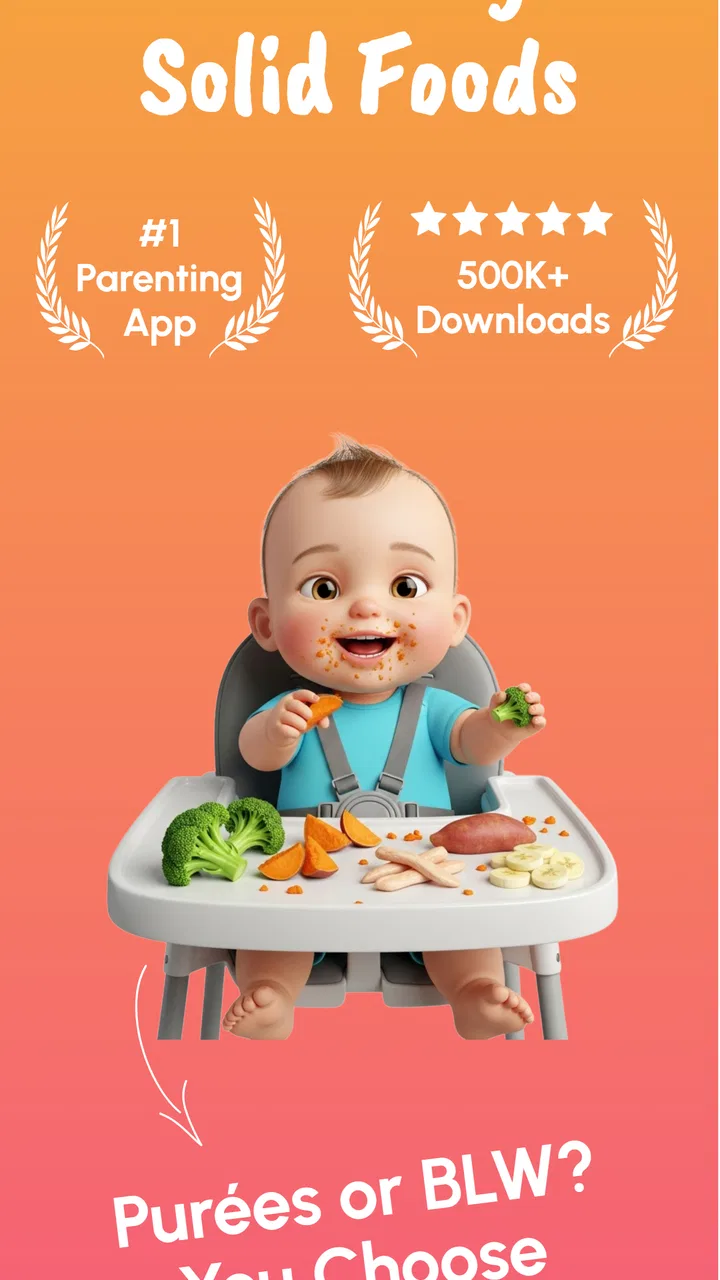
Start Solids & Baby Recipes
- 4.0
- Rating
- 100.00K
- Installs
- Free
- Price

 Analysis by App-foxy
Starting solid foods can feel surprisingly complicated. The basic question sounds simple—what should I offer my baby today?—but the real routine quickly involves checking suitable foods, thinking about preparation, remembering what was tried, and keeping track of reactions. Start Solids & Baby Recipes, from Wiserapps Software, is a parenting app built around making that transition more organized. After using it, I found its most useful idea is not simply collecting recipes; it is bringing food discovery, meal inspiration, and progress tracking into one place.
The central strength is the way the app turns the beginning of solids into a repeatable routine. Instead of relying on scattered notes, browser bookmarks, and memory, I can use the app as a working reference while deciding what to serve. That matters most during busy days, when a parent needs a quick answer rather than a long article about infant feeding.
One place to plan, explore, and remember early foods
The app’s focus is clear from the first use: it is designed for parents introducing solids, not for general family meal planning. Food information, recipes, and trackers sit close together, so the experience follows the way this stage actually happens. I may discover an ingredient, look for an age-appropriate way to prepare it, and then want to remember whether my baby has already tried it. Keeping those steps connected is more practical than treating each one as a separate task.
You May Also Like

 Blood Strike: 2.5 Anniversary
Blood Strike’s Loadouts Turn Every Drop Into a Tactical Gamble
A close look at Blood Strike’s custom loadouts: how fast access to signature weapons reshapes its battle royale rhythm, rewards preparation, and narrows the gap between fights.

 Pandora - Music & Podcasts
Pandora’s Music Is Easy to Start, but Harder to Recover
Pandora’s strength is its low-effort path from a seed to a station. Its weak spot is how much confidence it asks you to place in connection, setup, and quiet recovery.

 8 Ball Pool
 Is Built on Rivalries, Rematches, and Routine
A close look at the rivalries, rematches, shared routines, and unanswered safety questions that turn a quick pool match into a persistent mobile community.

 Samsung Music
’s Quiet Strength Is Playing What You Already Own
Its reach comes less from spectacle than from dependable access to a personal library. That simplicity is both the app’s strongest retention engine and its ceiling.

 AccuWeather: Weather Radar
AccuWeather Review: A Quick, Clear Forecast for Everyday Decisions
For everyday plans, the best forecast is the one you can understand quickly. AccuWeather makes rain timing, radar, and local conditions easy to act on, with a few trade-offs.

 Hill Climb Racing
Why Hill Climb Racing Still Turns Crashes Into One More Run
A tiny car, a bumpy hill and one more upgrade: Hill Climb Racing keeps resurfacing because its simple chaos makes every near-miss feel personal.
More From Our News Desk



I especially like the tracker concept because early feeding is often less about creating impressive meals and more about building a reliable record. A parent may remember that a baby tasted avocado, but not whether it was offered alone, mixed with another food, or followed by a reaction. A dedicated record can make those details easier to revisit. It also helps prevent the common habit of repeatedly offering the same familiar foods simply because they are the easiest ones to remember.
The recipe section adds another layer of usefulness. Recipes can help when I know I want to offer a particular ingredient but have run out of ideas for serving it. That is a different need from searching for adult recipes: the goal is usually simplicity, flexibility, and confidence rather than presentation. I found the app most helpful when I treated recipes as starting points and adjusted them to match what was already available at home.
That approach is important because an app should support a parent’s judgement rather than replace it. Start Solids & Baby Recipes can help organize choices, but it is not a substitute for advice from a pediatrician or other qualified healthcare professional. Babies develop at different rates, and feeding concerns, allergies, choking risks, and medical conditions need personal guidance.
How the food guidance fits into a real day
In practice, I would use the app before shopping, during preparation, and after a meal. Before shopping, browsing the food ideas can help me choose a small number of ingredients instead of buying randomly. During preparation, a recipe can provide a prompt when I am unsure how to combine something familiar. Afterward, the tracker can preserve the useful detail that would otherwise disappear in the rush of cleaning up and moving on to the next part of the day.
A realistic example is a weekday afternoon when the baby is ready to eat, but there is no time to plan a complicated menu. I can open the app, look through the available food and recipe guidance, and choose an option that fits the ingredients already in the kitchen. If the food is new, I can record it afterward rather than depending on a vague mental note. The value here is not that the app cooks for me; it reduces the small decisions that tend to make feeding feel harder than it needs to be.
One useful habit is to use the tracker as a planning tool rather than only as a historical diary. Before offering something new, I can check what has already been introduced and decide whether the next meal should contain a familiar food alongside it. That creates a clearer record and makes it easier to notice patterns. It also prevents the tracker from becoming a neglected list that is opened only when something goes wrong.
Another practical tip is to keep the app open while preparing food, but avoid trying to document every tiny detail. The best record is one I will actually maintain. I would note the food, the preparation that matters, and any meaningful response, while leaving out unnecessary commentary. This keeps the tracker useful without turning feeding into paperwork.
The app is also better suited to gradual exploration than to a rigid meal schedule. Early solids are often unpredictable: a baby may eat enthusiastically one day and barely touch food the next. A flexible collection of ideas is more helpful in that situation than a strict timetable that creates pressure when real life interrupts it.
The best scenario: a first-time parent who wants a calmer system
The strongest use case is a first-time parent who feels overwhelmed by conflicting advice and wants one practical place to begin. The app can provide structure without requiring the parent to design a complete feeding system from scratch. Its combination of food references, recipe inspiration, and tracking is particularly useful when the parent is trying to balance experimentation with consistency.
It can also help two caregivers stay coordinated. If one person introduces a food during the day and another handles the evening meal, a shared record is more dependable than a quick verbal update. Even without turning feeding into a formal project, the tracker gives both adults a clearer picture of what has happened. That can be valuable when routines change between weekdays and weekends.
Families who prefer to prepare food at home may gain more from the recipe side than families who mostly use ready-made baby food. The recipes can act as prompts for combining ingredients and varying textures, while the food section can encourage broader exploration. However, I would not treat the presence of a recipe as a requirement to cook something elaborate. The app works best when its ideas are adapted to the time and equipment available.
There is also a useful role for the app during shopping. Rather than choosing ingredients based only on what looks familiar, I can browse first, identify a few foods to try, and then buy modest quantities. This reduces waste and makes the week feel more intentional. It is a small workflow improvement, but it is one of the ways a parenting app earns its place on a phone.
For a baby who is already eating a wide variety of foods and whose parents have an established system, the benefit may be smaller. In that case, a simple notes app or a paper list could be enough. The dedicated experience is most valuable when the parent needs ideas and organization at the same time.
Where the app saves effort—and where it still asks for effort
The main trade-off is that organization only helps if I keep the information current. A tracker cannot remember a food I never record, and a recipe collection cannot solve a lack of time by itself. Parents who dislike logging may enjoy browsing but eventually stop using the tracking side. That is not a flaw unique to this app, but it is important to understand before expecting it to manage the whole process automatically.
I also found that recipe guidance needs to be read thoughtfully. A recipe can suggest a direction, but it cannot know the baby’s individual experience, current tolerance, appetite, or developmental readiness. I would always check preparation details carefully and make sure the final texture and serving approach are appropriate. The convenience of having ideas in one app should not encourage rushed feeding decisions.
The free price makes it easy to try without committing at the start, while in-app purchases range from $3.99 to $24.99 per item. That means I would explore the free experience first and decide whether the additional value fits my routine before paying. The purchase range is worth considering for parents who only need occasional inspiration, because a basic notes system may be more economical if they do not expect to use the app regularly.
Another limitation is that this is a focused parenting tool rather than a complete child-health platform. I would not download it expecting growth charts, sleep management, appointment records, or a broad medical reference. Its usefulness comes from doing one stage of family life in a more concentrated way. That focus is a strength for starting solids, but it also defines when another app would be a better choice.
For example, parents primarily looking for allergy documentation may prefer a specialized health journal with more detailed clinical recording. Parents wanting a full family menu planner may be better served by a general meal-planning app. Someone who wants only a searchable list of foods may find this app more extensive than necessary. Start Solids & Baby Recipes makes the most sense when the parent wants food ideas and tracking together.
Small workflows that make the experience more useful
I would begin by recording familiar foods before adding many new ones. This creates a dependable baseline and makes the tracker easier to interpret. Once that foundation exists, I would introduce new ingredients one at a time when practical, using the app to remember exactly what was offered. The point is not to make every meal an experiment; it is to keep new experiences understandable.
I would also use recipes to vary presentation rather than constantly expand the ingredient list. If a baby already knows a few foods, changing how they are combined or served can provide variety without making the record confusing. This is a more sustainable workflow than chasing a new recipe every day.
A third useful approach is to review the tracker before planning the next few meals. This can reveal which foods are being repeated too often and which familiar ingredients have been forgotten. It also helps me choose recipes based on what is already in the kitchen, reducing the temptation to treat every suggestion as a shopping assignment.
For caregivers, the app becomes more valuable when both people follow the same recording habit. A short, consistent entry is better than detailed notes made by only one person. I would agree on what to record and keep the wording simple, so the tracker remains understandable even when someone else opens it later.
These workflows show the difference between merely owning the app and using it well. The app does not remove the need for judgement, but it can make that judgement easier by keeping relevant information close at hand.
Who will gain the most from this parenting app?
I think it is best for parents at the beginning of the solids journey who want reassurance through organization. The food ideas help answer “what could I try?”, the recipes help answer “how could I serve it?”, and the tracker helps answer “what have we already done?” That sequence makes the app feel more purposeful than a recipe-only collection.
It is also a good fit for busy households where feeding responsibilities move between people. A record can reduce repeated questions and make the transition from one caregiver to another smoother. Parents who enjoy planning, lists, and simple tracking will probably get the most from it.
The age rating is Everyone, and the app is available for devices running Android 7.0 or later. It is free to install, with optional purchases inside the app. Its current version is 2.8.1, and it has reached over one hundred thousand installs. The app holds a 4.0 average from around one thousand ratings, with thirteen written reviews shown alongside that score, which suggests a reasonably established but still focused tool rather than a universally dominant parenting platform.
I would skip it if I wanted a medical authority, a complete family organizer, or a hands-off feeding solution. I would also skip it if I already have a reliable paper or digital system and do not want to maintain another record. The app earns its space when its connected food, recipe, and tracking workflow is genuinely easier than the alternatives already in use.
After trying it, my honest recommendation is to approach Start Solids & Baby Recipes as a practical companion for the early food stage, not as a rulebook. Its strongest contribution is helping parents move from uncertainty to a manageable routine: browse with a purpose, prepare something realistic, record what happened, and use that history to make the next choice. That is a modest promise, but it is exactly the kind of modest help that can make a demanding parenting transition feel more under control.
For me, the deciding factor is the connected workflow. A standalone recipe app may offer more cooking variety, and a basic notes app may be faster for simple records, but this app brings the two needs together around the specific challenge of starting solids. If that is the stage your family is in, I think the free version is worth exploring before deciding whether the optional purchases add enough value to your routine.
FAQs for Start Solids & Baby Recipes
01What is Start Solids & Baby Recipes, and who is it designed for?
Start Solids & Baby Recipes is a meal-planning and recipe app created for parents and caregivers introducing solid foods to babies. It generally focuses on age-appropriate food ideas, preparation guidance, and practical inspiration for different stages of weaning. The app may be useful for both traditional spoon-feeding and baby-led approaches, although parents should always adapt suggestions to their child’s development and individual needs.
02Does the app provide recipes suitable for my baby’s age and stage of weaning?
The app is organized around the early stages of introducing solids, making it easier to find recipes and food ideas that match a baby’s development. It can help parents move from simple single-ingredient foods toward more varied combinations and textures. However, age recommendations should be treated as general guidance, since babies progress differently. Always check that your child is ready for a particular texture and can eat safely.
03Can Start Solids & Baby Recipes help with food allergies and introducing common allergens?
The app may offer information or recipe ideas involving common foods, but it should not replace professional allergy advice. When introducing allergens such as peanuts, eggs, dairy, wheat, fish, or sesame, parents should follow guidance from a pediatrician or qualified healthcare professional. Introduce new foods carefully, one at a time when appropriate, and watch for symptoms. Seek urgent medical help if a serious allergic reaction is suspected.
04Does the app include baby-led weaning recipes as well as purées?
Start Solids & Baby Recipes is intended to support different ways of introducing solids, so users may find ideas ranging from smooth purées and mashed foods to softer finger foods and family-style recipes adapted for babies. The exact selection can depend on the app version and available content. Before serving anything, check the food’s softness, shape, and size, and avoid choking hazards such as whole nuts, hard raw vegetables, and uncut grapes.
05Is Start Solids & Baby Recipes free to download, and are there in-app purchases?
The app’s download availability, included recipes, and pricing can vary between Android and iOS and may change after updates. Some features or recipe collections could require a subscription or one-time purchase, while basic content may be available for free. Before downloading, review the store listing for current pricing, trial terms, renewal details, privacy information, and supported devices so there are no surprises.
Pros
- Simple recipes use familiar ingredients and are easy for parents to follow.
- Helpful meal ideas support the transition from milk to solid foods.
- Recipes can inspire variety beyond the same everyday purées.
- Clear preparation guidance may save time during meal planning.
- Suitable ideas for different stages can help organize feeding routines.
Cons
- Some recipes may require ingredients that are unavailable in every country.
- Portion sizes may need adjustment for each baby's appetite and age.
- The app may not replace advice from a pediatrician or dietitian.
- Allergy information may require extra checking before serving a recipe.
- Limited offline access could be inconvenient when cooking without internet.

Start Solids & Baby Recipes
Gallery